
Choosing a Delta VFD Keypad: Models and Drive Compatibility
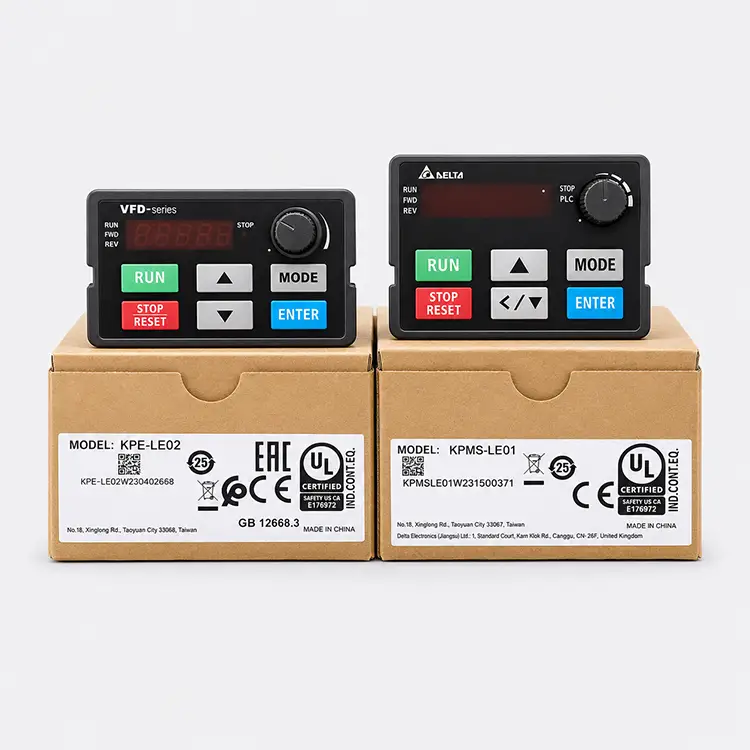
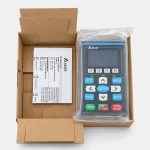
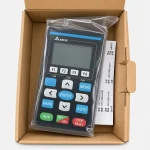
Choose a Delta keypad by the drive it must operate, not the panel appearance alone. Compare documented model references and confirm the cable and mounting scope.
- KPC-CC01
- KPE-LE02
- KPMS-LE01
- LC-M02E
- VFD-PU06
- VFD-PU08
A replacement Delta VFD keypad must suit the drive and the intended task. Operating the motor, editing parameters and copying settings are different requirements. WOOLARS accepts inquiries for the keypad references below; use the documented drive association as a starting point for selecting the correct panel.
Which keypad belongs on your shortlist?
This table records specific manufacturer references. It is not an exhaustive compatibility matrix and does not imply that every listed keypad works with every Delta drive.
| Keypad model | Documented association | Purchasing distinction |
|---|---|---|
| KPC-CC01 | MS300 connection documented in Delta FAQ | Communication settings must match |
| KPE-LE02 | Described in the C200 manual, chapter 8 | LED display, operating keys and frequency potentiometer |
| KPMS-LE01 | Identified in the MS300 manual | Match the installed drive version |
| LC-M02E | Described in the VFD-M manual, chapter 3 | Parameter display and programming/control interface |
| VFD-PU06 | Listed in the VFD-EL-W accessory catalog | RJ11 connection; parameter duplication/recording |
| VFD-PU08 | Listed in the VFD-EL-W accessory catalog | RJ45 connection; cable not included in that catalog listing |
KPC-CC01 with MS300: compatible does not mean default settings match
Delta’s official FAQ documents a difference between the MS300’s default ASCII 9600, 7, N, 2 communication and the KPC-CC01’s RTU 19200, 8, N, 2 default. The drive communication configuration must be matched for this connection.
This is a useful example of why a panel that connects physically may still require configuration. Identify the host drive before purchasing, and use the applicable manufacturer procedure rather than applying the MS300 example to another series.
VFD-PU06 and VFD-PU08: separate the panel from the connection kit
The VFD-EL-W catalog lists VFD-PU06 with an RJ11 connector and parameter duplication/recording, while VFD-PU08 uses RJ45. It explicitly says the RJ45 cable is not included for VFD-PU08.
For a remote operator location, define the panel, cable and mounting hardware as separate items in the inquiry. A connector description does not establish that a generic cable is suitable, or that a particular cable length is permitted on every drive/keypad combination.
Replace the function you need, not just the faceplate
KPE-LE02 is described in the C200 manual with a frequency potentiometer and operating/programming keys. LC-M02E is documented as the VFD-M programming and control interface. These are drive-specific references, not evidence that the two panels can substitute for each other.
If the purpose is parameter copying rather than local operation, make that requirement explicit. Check that the required function is documented for the actual combination; a display and RUN key alone do not establish copying capability.
Manufacturer references for verification
- MS300 and KPC-CC01 connection FAQ
- C200 manual: KPE-LE02, chapter 8
- MS300 manual: KPMS-LE01
- VFD-M manual: LC-M02E, chapter 3
- VFD-EL-W catalog: PU06/PU08 accessories, printed page 10
Request a keypad or a complete remote-panel set: send WOOLARS the keypad code, drive model and quantity. State whether the order also needs a cable or mounting parts, and whether the panel is for operation, parameter editing or copying.